
Check Your Oakville Pickup Day Before Anything Goes to the Curb
Oakville does not have one townwide garbage day. Enter your exact address in Halton Region’s schedule to see what is collected today or next pickup day, then use this guide for the 7 a.m. set-out time, personalized 2026 PDF, bag tags, Green Cart, Blue Box changes, bulk items, yard waste and missed-pickup contacts.
Quick Answer: Oakville Garbage Collection Schedule Today
Use Halton Region’s official address calendar for the exact Oakville garbage collection day. The result can show garbage, Green Cart, recycling, yard waste and bulk items, and it automatically reflects the property’s route.
Search the exact property
Enter the house number and street name instead of guessing from the neighbourhood.
Check today or tomorrow
Read the displayed collection date, including any holiday adjustment.
Read every collection icon
Confirm whether garbage, Green Cart, Blue Box, yard waste or bulk is due.
Have it ready by 7 a.m.
Material may go out after 5 p.m. the previous evening, but not earlier.
What Should I Put Out in Oakville Today?
The weekday alone is not enough. Follow these three checks before moving any bags, carts, boxes or furniture outside.
Confirm the date
Search the address and check for a holiday, storm or service notice.
📅 Which Week Am I On? — Garbage or Recycling?
160+ Canadian cities · CSS animated bins · Monthly calendar · Holiday warnings
City not in our database yet
We don't have a reference date for this city. To find your biweekly schedule, use one of these options:
Once you have the date of your last garbage week, enter it in the date field above and click Check.
Next pickup date
Based on your collection day
🔑 Bookmark this page to check your schedule every 2 weeks
Confirm the stream
Garbage, Green Cart, Blue Box, yard waste and bulk do not all use the same frequency.
Confirm preparation
Weight, wrapping, tags, container type and bundling can determine whether material is collected.
Oakville Garbage Collection Calendar 2026 PDF Download
The useful PDF is generated after you search your address. A generic Oakville-wide calendar could show the wrong route, so create the calendar for your property.
Download or print the correct PDF
- Open Halton’s collection schedule.
- Enter the complete Oakville address.
- Select the matching property.
- Choose the calendar, print or download option.
Get phone or email alerts
First-time users can select “Create a reminder.” Returning users can use the “Get a reminder!” option.
Try a desktop browser
If calendar-sync controls do not appear on a phone, enter the address from a desktop browser or request email reminders instead.
Who Provides Oakville Garbage and Recycling Service?
The Town of Oakville directs residents to Halton Region for garbage, Green Cart, yard waste, bulk and related curbside services. Residential Blue Box management changed in 2026.
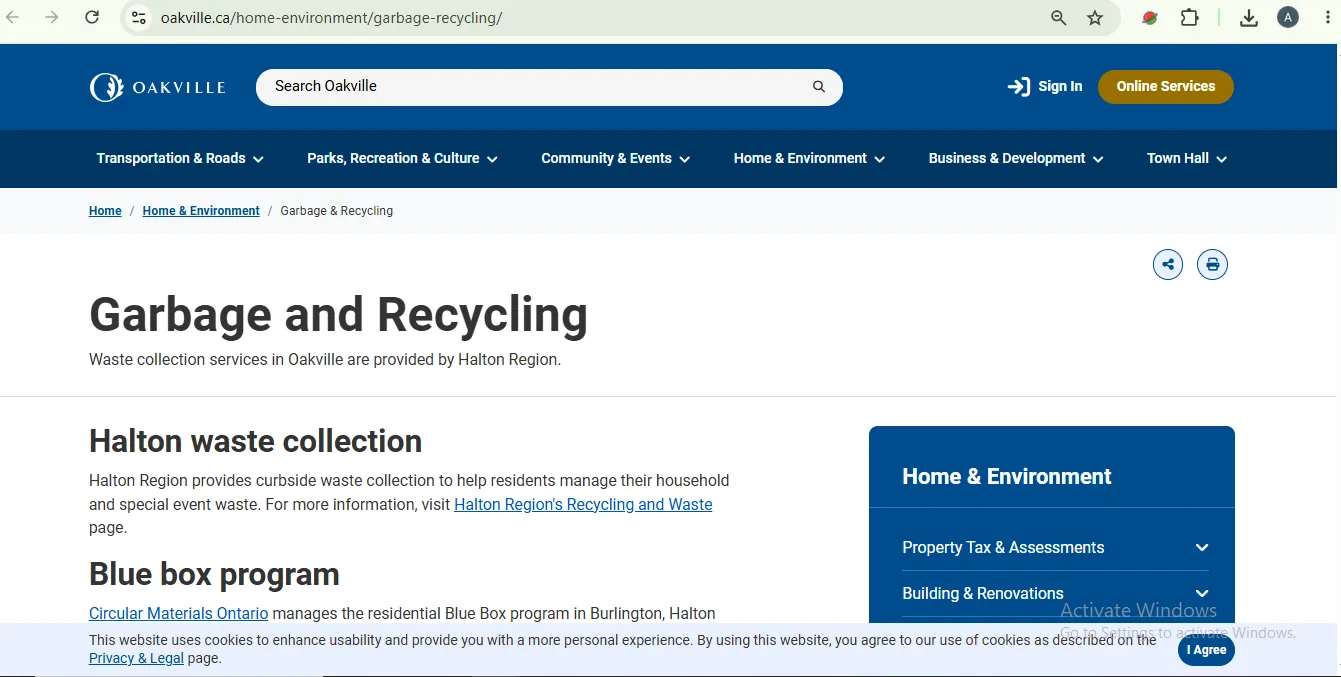
Oakville Garbage Collection Map: Use the Address Route Tool
People searching for an Oakville garbage collection map usually need their collection zone or weekday. The address calendar is the practical route map because it returns the schedule for the exact property.
Use Halton’s address schedule
It identifies the property’s pickup dates and which waste streams are collected.
Use only for seasonal loose leaves
Oakville’s loose-leaf zones are a separate Town program and do not determine regular garbage collection.
Oakville Garbage Collection Day and Service Frequency
Use this overview to interpret your calendar. The date shown for your address remains the final answer.
Oakville Garbage Collection Time and Set-Out Checklist
When waste should be outside
- Have material ready by 7 a.m.
- Do not set it out before 5 p.m. the previous evening.
- Do not wait until the collection truck is visible.
- Truck arrival time can change between collection days.
Maximum size and weight
- Maximum weight: 23 kg or 50 lb.
- Maximum capacity: 125 litres.
- Maximum dimensions: approximately 50 cm wide by 100 cm high.
- No large wheels or permanently attached hinged lid.
Keep access clear
Do not hide material behind parked vehicles, construction bins, hedges or leaf piles.
Prepare for winter
Keep containers visible and free of snow and ice. Do not place them on a snowbank.
Secure light recycling
Place heavier accepted material on top when practical so wind does not scatter loose packaging.
Official 2026 Sorting PDF: What Goes in Each Oakville Waste Stream?
Halton’s January 2026 “Put Waste In Its Place” PDF contains practical rules that residents should know without repeatedly opening the document.
Typical accepted organics
- Fruit, vegetables, meat, fish, bones and dairy.
- Bread, grains, pasta and baked goods.
- Coffee grounds, filters and tea bags.
- Fats, sauces, oils and food scraps.
- Houseplants, hair and plain wooden food sticks.
- No regular plastic bags, glass, metal or foam.
- No diapers, pet waste, stickers or elastics.
Typical residual waste
- Pet waste, diapers and sanitary products.
- Disposable wipes, dryer sheets and vacuum bags.
- Furnace filters and non-recyclable household items.
- Cold cigarette butts and ashes.
- Non-CFL bulbs, ceramics and drinking glasses wrapped safely.
- No electronics or hazardous waste.
- No material accepted in recycling or the Green Cart.
2026 recyclable categories
- Flattened cardboard, boxboard, cartons and paper.
- Hard plastic containers and packaging.
- Flexible plastic and foam packaging.
- Clean metal containers, foil, trays and accepted aerosols.
- Glass containers with lids removed.
- No alcoholic beverage containers or books.
- No toxic, corrosive or flammable aerosols unless specifically accepted.
Oakville Blue Box Changes in 2026: Who Handles What?
Circular Materials Ontario now manages Oakville’s residential Blue Box program. The pickup day did not change, but the correct customer-service contact depends on the problem.
Oakville Garbage Bag Limit and Extra-Bag Tags
Three bags or eligible cans
Garbage is collected every other week. All garbage must be bagged and tied; loose material is not collected.
One $2 tag per extra bag
Tags are sold in sheets of five for $10. Attach a tag securely to every bag above the standard limit.
Six bags or cans total
The usual maximum is three untagged plus three properly tagged bags or cans.
Oakville Bulk Waste, Mattresses, Glass, Carpet and Appliances
“Large item” does not always mean regular bulk waste. Use this preparation guide before creating a curbside pile.
Oakville Yard Waste, Storm Brush and Loose-Leaf Collection
April to December
Urban yard waste is collected every other week on the regular garbage day during the active season.
Paper bag or open labelled can
Reusable containers need a yellow yard-waste label and no lid. Maximum capacity is 125 litres and maximum weight is 23 kg.
No soil, sod or grass clippings
Plastic bags, rocks, clay, plastic pots, stumps and giant hogweed are also excluded.
Regular brush rule
Outside the temporary July 2026 storm exception, brush must be tied in bundles no larger than 2 m by 1 m, with branches no more than 7.5 cm in diameter.
Oakville loose leaves are separate
The Town’s 2025 loose-leaf season is complete. Do not reuse those dates for fall 2026; wait for Oakville to publish the new zones and tracker.
Missed Oakville Garbage, Green Cart, Yard Waste or Blue Box Pickup
Before reporting a missed collection, check whether the material was actually eligible and prepared correctly. Then use the contact assigned to that waste stream.
Check seven common causes
- Correct address and collection date.
- Correct waste stream for that date.
- Material was ready by 7 a.m.
- No holiday or storm adjustment.
- Container met size and weight limits.
- Extra garbage had valid tags.
- No rejection sticker or contamination issue.
Use Halton’s report form
Use Halton’s form for garbage, Green Cart, yard waste, bulk waste, or when both Blue Box and Green Cart were missed.
Oakville Apartments, Condos and Townhouse Complexes
Follow the building system
The building may use communal carts, a compactor, a garbage room or a private contractor.
Confirm the collection point
Internal roads, shared enclosures and fire routes can change where material must be placed.
Ask before leaving furniture
Do not leave a mattress, couch or appliance in a waste room or beside a building unless management authorizes it.
Halton Waste Management Site: Hours, Fees and Before-You-Go Rules
The Milton waste site is the main official drop-off route for many materials that cannot go in Oakville curbside collection.
5400 Regional Road 25, Milton
Open Monday to Saturday, 8 a.m. to 4:30 p.m. It also opens Sundays from 8 a.m. to noon in May and June.
Debit or credit only
No cash or coins. The current minimum user fee is $10 where a charge applies.
Sort, secure and bring help
Staff cannot unload vehicles. Secure open loads and pre-sort material before arrival.
Common free residential drop-offs
- Electronics.
- Up to ten tires per day.
- Residential Green Cart organics.
- Household hazardous waste up to 20 litres per household per day.
Common minimum-fee loads
- Residential mixed yard waste and brush.
- Small mixed solid-waste loads.
- Drywall, wood, appliances and scrap metal loads.
- Residential clean fill, soil or sod.
Oakville Special Waste Drop-Off Day: September 26, 2026
Oakville residents have a local 2026 option for household hazardous waste and electronics instead of driving to the Milton site.
Saturday, September 26
Confirm the event has not changed before loading the vehicle.
9 a.m. to 3 p.m.
Arrive with enough time for vehicle queues and unloading.
1410 Trafalgar Road
Oakville, Ontario, L6H 6W4.
Free for Halton residents
Commercial waste is not accepted at the event.
Oakville Wheeled Garbage and Organics Cart Rollout
Halton is moving eligible curbside households to automated garbage and organics carts in two phases. Blue Box collection remains manual.
Action may be required in 2026
- Use the official phase checker.
- The default garbage cart is 240 litres.
- Eligible households can request a 120-litre cart by August 15, 2026.
- The smaller cart suits households producing one or two bags every other week.
Garbage and organics carts
- One 240-litre garbage cart unless an eligible smaller cart is requested.
- One 120-litre organics cart with a gravity lock.
- No residential wheeled Blue Cart from Halton.
- Yard waste, bulk and appliance methods stay unchanged.
Common Oakville Collection Mistakes
Wrong week
Garbage is every other week, not every Green Cart day.
Late set-out
Material placed outside after 7 a.m. may be treated as late.
Loose waste
Garbage and organics must be bagged and tied.
Missing tags
Every garbage bag above the standard three needs a tag.
Wrong Green Cart liner
Regular plastic shopping bags are not accepted liners.
Bulk pile
Loose mixed piles and more than three items are not accepted.
Wrong leaf programme
Bagged yard waste and Oakville loose-leaf zones are different services.
Wrong missed-pickup contact
A missed Blue Box alone goes to Miller Waste, not the standard Halton form.
Oakville Waste Decision Helper
Choose the closest situation to see the correct next action. Always verify collection dates through the official address calendar.
Official Oakville and Halton Waste Links
Use each link after reading the relevant explanation above. These pages are the final authority for changing dates, fees, accepted items and service notices.
Oakville Garbage Collection FAQ
How do I check the Oakville garbage collection schedule today?
Can I download an Oakville garbage collection calendar 2026 PDF?
What time should garbage be put out in Oakville?
How often is garbage collected in Oakville?
How many garbage bags can an Oakville household put out?
Who handles Oakville Blue Box collection in 2026?
What should I do if my Oakville collection was missed?
Does Oakville collect furniture and mattresses?
Is Oakville loose-leaf collection the same as yard waste?
Is there a single Oakville garbage collection map?
Oakville Collection Morning Checklist
Search the exact address, confirm every waste stream shown for the date, place eligible material out by 7 a.m., keep bags and cans within the weight limit, attach tags to extra garbage and use the correct reporting contact if service is missed.